

Rights licensing and content distribution
NLA Media Access (NLA) is a publisher-owned rights licensing and publisher services business with a core aim of supporting journalism.
We work on behalf of the UK’s newspaper and magazine publishers. We license organisations to make paper and digital copies of newspaper, magazine and news website content.
The NLA currently licenses over 200,000 businesses and organisations ranging from large government bodies, PLCs, and limited companies to partnerships and public relations agencies.

Licences for copying
Our licences are suitable for all businesses, such as PR, retail, leisure, manufacturing, government, finance, charities, education, and many more. An NLA licence will cover you for copying from newspapers and magazines, and websites.

Publishers
‘Supporting journalism’ represents everything that NLA stands for. Contact us to find out if you’re likely to be due some royalties in the future. We also offer several services to help publishers reduce costs.

Media Monitoring Organisations
NLA grants licences and supplies content to UK and international media monitoring agencies and news aggregators which supply content in paper and digital format to clients.
Helping PRs and end users gain easy access to content
“As an organisation, we believe that a company needs to do more than just make profits. We are committed to being a force for good in all of the communities in which we operate. So, knowing that our NLA licence fee goes towards supporting initiatives such as Newspapers for Schools, is important to us; we’re proud to be supporting these schemes through our licence.”
Whitbread plc
“The world believes content should be free, but quality journalism costs money and it’s not unreasonable for businesses that are profiting from that journalism to make a contribution.”
– Martin Stott, CEO, Bulletin PR
NLA Indefinite Access
Increase access to your content to indefinitely.
Following further feedback from licensees, NLA launched a new licensing option as an alternative to Extended Access.
Indefinite Access grants users the right to access this content indefinitely* from the day it is published.
*subject to complying with the terms under the licence
Supporting Journalism
NLA licences contribute to a vibrant UK media and support jobs in journalism. NLA licence revenue is distributed to publishers in the form of royalty payments. In 2021, the company returned £39m to publishers. Since its creation the NLA supported Journalism Diversity Fund has provided bursaries to over 250 aspiring journalists and continually supports students from diverse backgrounds to train as journalists.
Regional Journalism
“In recent years, NLA has consistently delivered over £100,000 a year in royalties to us, and it is a vital revenue stream which helps us to serve the people of Kent with trusted and quality journalism.”
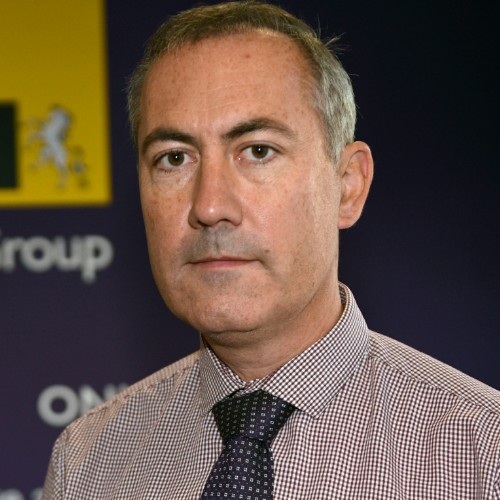
Ian Carter
Editorial Director, Iliffe Media Group
National Journalism
“NLA’s sure-footed approach and the levels of scrutiny they apply within an increasingly complex and varied licensing environment give us confidence that our copyright is protected and our content is being used with the right permissions.”

Fergus McKenna
Content Sales Director, Reach plc
Journalism Diversity Fund
” I’d known for a long time that I wanted to achieve a National Council for the Training of Journalists (NCTJ) qualification, however being able to afford the course and support myself whilst living in an expensive city such as London, posed great challenges.”

April Roach
Reporter, The Romford Recorder
NLA works to ensure that society benefits from publisher content
News is a keystone of society and NLA works to help bring content to those who might not otherwise have access. Through our continued work with the Royal National Institute of Blind People (RNIB) and our Newspapers in Schools scheme, journalistic content is reaching both the young and the visually impaired.
Newspapers for Schools
PDF format newspaper articles
Newspapers are an invaluable source of inspiration for students and can be a useful education tool for teachers too. Not all schools will have the ability, or the resources, to access every newspaper they would like to, so we have made a more accessible online database of over 150 national and regional newspapers, called Newspapers for Schools.
RNIB: Supporting people with sight loss
Providing accessible editions
Every day, 250 people start to lose their sight. By 2050, it’s estimated that the number of people living with sight loss in the UK will double to nearly 4 million. RNIB’s partnership with NLA is crucial to their work, helping them provide a wide range of popular and specialist magazines and newspapers in accessible formats through their Newsagent service.




Latest news & blogs
- NLA Media Access Appoints New Chairman
- The Simplified Licence
- NLA Appoints Chairman
- Introducing NLA’s new ‘Title Search’ tool
- Helping schools get the news they need with the NLA Schools Licence
- Tim Brooks to step down as NLA Chairman
- PPA Festival 2019 – NLA brief publishers on new ways to monetise their content
- NMA & NLA: the importance of partnership in 2019